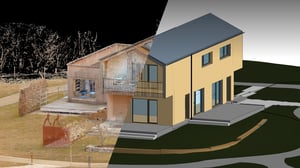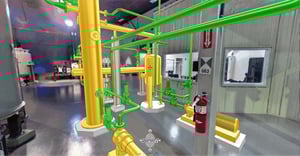

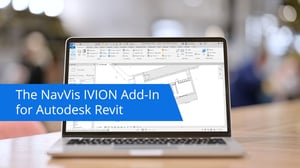

With the NavVis IVION Add-in for Autodesk Revit, project teams can easily connect 3D laser scan data and panoramic imagery to their BIM models. The result: an as-built workflow that's faster, simpler, and more precise.
Watch how NavVis IVION connects your BIM model to real-world data.
Use the NavVis IVION Add-in to link your Autodesk Revit model to the NavVis IVION instance.
Align coordinate systems and locate the NavVis IVION position within your Revit model.
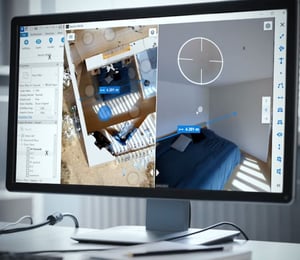
Visually compare as-built conditions with your BIM model and update directly in Revit.
Work and update your BIM Model based on the NavVis IVION information & share model updates with BIM project members.
Process & Connect
Set up your NavVis IVION instance and establish a live connection with Autodesk Revit in just a few clicks.
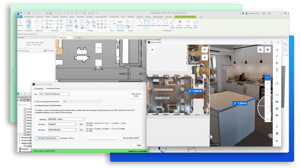
Compare & Update
See your as-is environment next to your Revit BIM model, side by side. Use the visual reference to verify geometry, catch inconsistencies, and accelerate model updates. Make collaboration intuitive by giving everyone the same reliable, reality-based context.
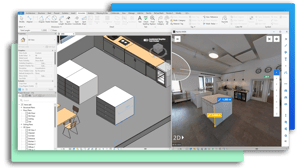
BIM modelling
with a simpler verification workflow.
during point cloud to BIM modeling
“We have found that we can save a lot of time when modeling from point clouds to BIM models using NavVis IVION. We estimate at least 10% time saving during this process.”
Better together

Link your Autodesk Revit BIM models with NavVis IVION to access accurate, real-world scan data directly inside your design environment.
Compare your BIM models side by side with high-resolution panoramic imagery and point clouds to quickly identify discrepancies and update designs.
Skip time-consuming point cloud imports – use Crop & Download to access only the sections you need for faster, lighter BIM modelling.
Share NavVis IVION views, annotations, and POIs with project teams for transparent communication and confident decision-making throughout the project lifecycle.
Ready to take the next step?
Whether you’re looking to implement this integration today or still exploring how it can enhance your workflow, we’ve got the right path for you.
Curious how the NavVis + Autodesk Revit integration can support your specific use case? Our experts are here to guide you through setup and benefits.
Dive into the NavVis Knowledge Base for step-by-step guidance on setting up the integration.
Resources


Talk to an expert
Simply fill out the form below, and one of our colleagues will be in touch shortly.